
NEON MOTIVE GUIDE
How to choose a logo projector for your business
A custom projection begins with your actual space: where the fixture goes, how far the light travels, and what other light reaches the display surface.
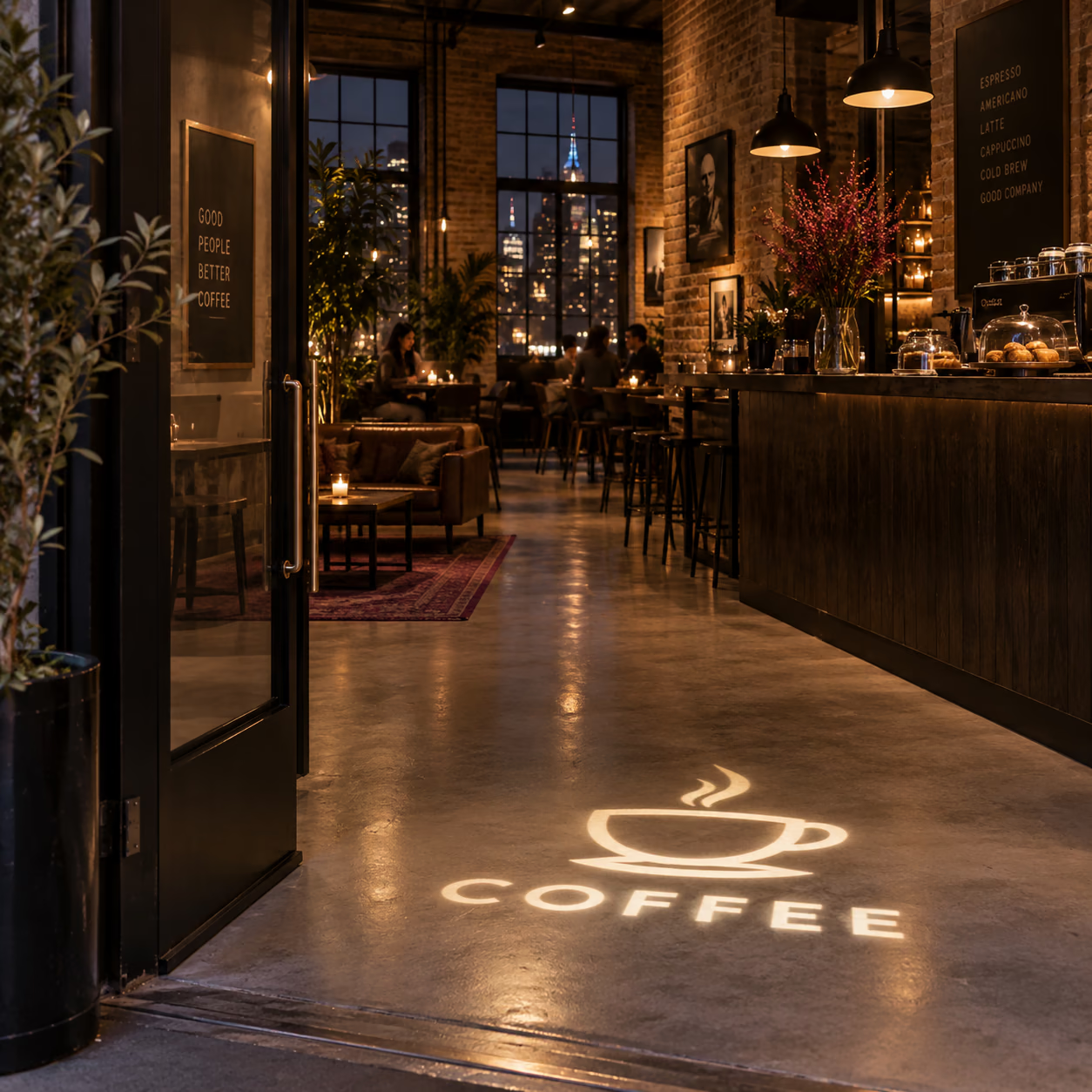
What is a gobo logo projector?
A gobo projector shines light through a physical patterned disc and uses an optical lens to project the design onto a suitable surface. Your uploaded artwork is prepared for a compatible disc; it is not downloaded to the projector as a digital display. MotiveBeam is planned as an LED gobo range, not a laser or video projector.
Start with the space, not the wattage
Decide where the projector itself will be mounted: indoors or outdoors. Measure from its lens to the wall or floor where the image should appear. Note your desired logo width and photograph the surface under its normal operating light. The LED, optics, disc, image size, surface and surrounding light all affect visibility. Wattage alone cannot predict it.
Check mounting and power access too. The most attractive image position is not always the easiest location for a safe fixture installation.
How large can the projected logo be?
The optical lens and throw distance determine the image field. Two projectors with the same wattage can create different widths if they use different lenses. A wordmark and a circular emblem may also fill the usable field differently. Send your target width so the lens can be checked against the exact model.
Increasing the projected area spreads the available light. The digital artwork proof confirms the composition of the disc; it cannot guarantee the contrast of the projection in your room.
Indoor, outdoor and daylight
Choose a fixture rated for its mounting environment. A covered entrance may still expose a unit and its connections to moisture, dust and temperature changes. An outdoor housing does not automatically make every plug or cable weatherproof. Through-glass projection also needs review for reflections and loss of contrast.
Direct sunlight is demanding. If daytime visibility is essential, ask for evidence under comparable conditions before ordering. Night-time concept images do not establish daylight performance.
Artwork and changing designs
Bold, readable artwork often works well at a glance. Full-colour or fine-detail artwork needs individual review. A compatible replacement gobo disc lets you change a single-logo projector’s design later, but it still displays one installed disc at a time. Multiple installed designs call for the separate four-logo hardware, with switching behaviour confirmed for the exact model.
A gobo disc changes the design. The optical lens controls the geometry; these parts are not interchangeable substitutes.
Plan your installation with us
Tell us the fixture location, lens-to-surface distance, desired image width and normal ambient light. Upload your logo and a photo of the space. Choose your model and upload your logo to see the delivered price. We review artwork before production.
For a permanently illuminated sign, you can also explore MotiveBox light boxes · MotiveForm 3D letters.
Choose the light for your space.
Start with your surroundings, then check the distance. More wattage offers more light output; it does not set the size of your logo.
These are manufacturer ratings, not measured brightness on your wall. Rated distance does not guarantee visibility. Colour, image size, surface and ambient light matter. Four-logo optics differ; ask us about your intended distance.
| Power | Rated light output | Projection distance |
|---|---|---|
| 35W | 3,600 lm | 2–5 m |
| 50W | 5,500 lm | 2–8 m |
| 80W | 8,800 lm | 3–9 m |
| 100W | 11,000 lm | 3–12 m |
| 150W | 16,000 lm | 3–15 m |
| 200W | 22,000 lm | 4–25 m |
| 300W | 33,000 lm | 4–40 m |
| 500W | 55,000 lm | 5–50 m |
See the difference side by side.
Watch the supplier’s blue-light comparison of 50W, 100W and 150W. The 15W unit shown is a comparison only and is not sold in our range. Camera exposure and test conditions affect the result; this is not a calibrated brightness test.
How big will your logo look?
The lens and lens-to-surface distance determine the image field. Moving farther away usually makes it larger and spreads the light over more area. Wattage alone does not determine width. Give us your distance and desired width in the order notes; we’ll check the lens for your layout.
Aim as square to the surface as possible. A steep angle can stretch the logo; smooth, light-coloured surfaces give a clearer starting point. Through-glass and direct-sunlight installations need advice.
Colour makes it your brand.
Your included disc can carry simple colours or full-colour artwork, including gradients. A bold logo with clear edges and readable lettering usually translates more clearly than tiny text or fine detail.
White and lighter artwork generally transmits more light. Saturated colours, dark or textured surfaces and nearby lighting can reduce apparent contrast. Colours on a screen will not look identical on every wall.
Configure & buy